
Interleaving Reading Timer
Read several books in rotation, on a timer.
In development
com.mlleasy.interleavingreadingtimerOverview
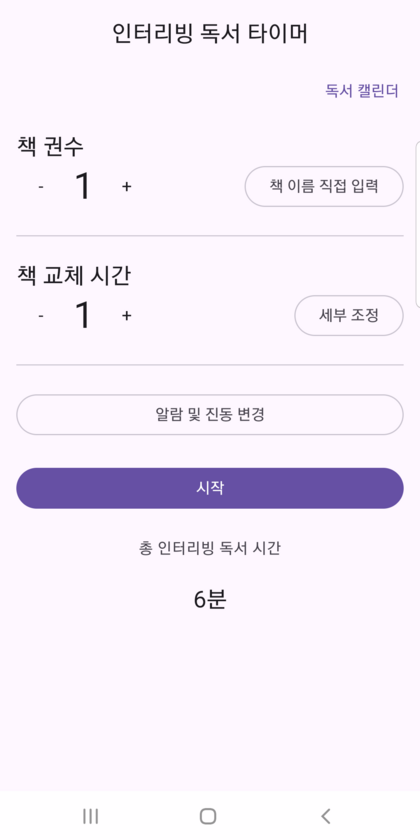
Interleaving Reading Timer helps you alternate between several books in one sitting. Register the books you are reading, set how often to switch, and the app signals each change — including while the screen is off.
Built around interleaving, a study approach where alternating between different material can aid retention. Useful when your focus fades partway through a single book.
Key features
- Rotate through multiple books
- Set how many books to read in a session and optionally name each one.
- Set your switch interval
- Choose how many minutes to spend on each book before moving to the next.
- Alerts even with the screen off
- A foreground service keeps the session running and signals each book switch.
- Sound and vibration settings
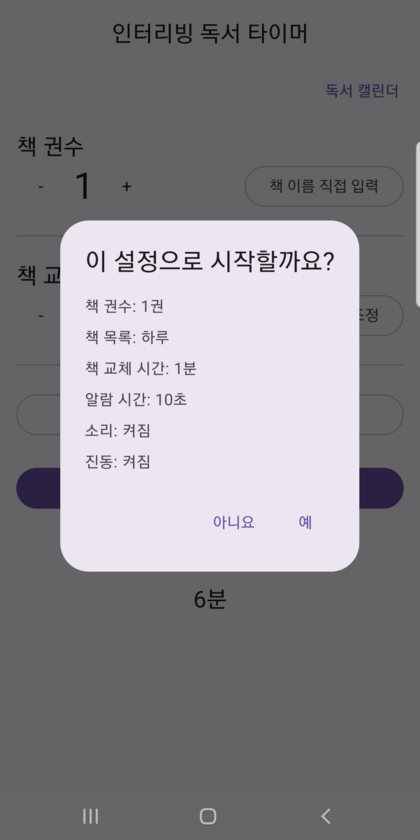
- Choose the alert sound, ringtone volume, vibration, and alarm length.
- Reading calendar
- Completed sessions are recorded by date so you can look back over them.
Screenshots
Screenshots show the Korean-language interface.



Links
Not yet published on Google Play. This page will link to the listing once the app is available.